
MECCHA CHAMELEON Painting Guide
Master the paint tool, eyedropper, HSV sliders, and advanced camouflage techniques to become truly invisible.
Why Painting Matters
In MECCHA CHAMELEON, your paint job is your only defense as a Hider. A great paint job makes you nearly invisible; a bad one gets you spotted in seconds. The paint tool is deceptively deep — most players only use the basic color wheel, missing the eyedropper, HSV sliders, and theme system that make the difference between a 2-second survival and a full-round stealth victory.
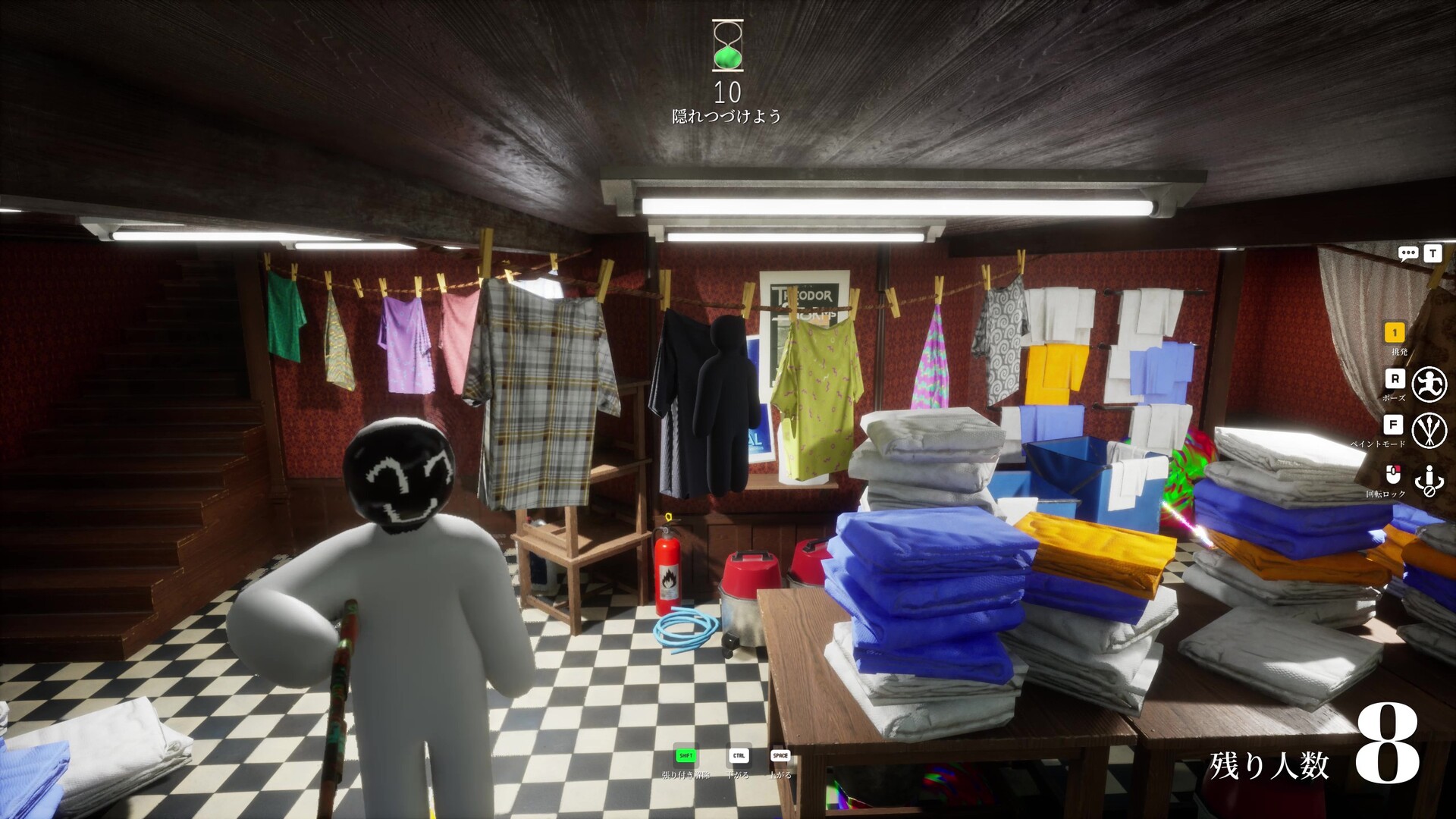
Paint Tool Reference
Color Picker (Eyedropper)
Spacebar (in paint mode)The most powerful tool. Sample any color visible on screen with a click. This is how 90% of great camouflages are made — you do not guess colors, you copy them.
Color Wheel / Palette
Default paletteThe standard color wheel has the full RGB spectrum. Use it for primary paint fills, but switch to the eyedropper for detail work.
HSV Sliders
Right-click in paint modeHue, Saturation, and Value sliders let you fine-tune your colors beyond the basic palette. Most players ignore this, but advanced users rely on it.
Roughness / Texture
Slider in paint menuSome versions of the paint tool let you apply a roughness or texture setting to your body, breaking up the clean white surface and helping it blend with textured backgrounds.
Theme Slots
Tab to cycleSave full color palettes as Themes. The game has multiple theme slots, and you can pre-build palettes for each map or each specific hiding location.
Advanced Camouflage Techniques
Match the Lighting, Not Just the Color
This is the #1 reason Hiders get spotted. A perfectly copied wall color still stands out if the brightness level is wrong. A wall lit by sunlight looks different from a wall in shadow. Sample colors from areas with similar lighting to where you are positioning yourself.
Break Your Outline with Transition Zones
Position yourself where two colors meet. Where a wall changes color, where a floor transitions to a different material, where shadows blend into bright sections. These breaks in visual continuity naturally mask your body shape.
Hide Like an Object, Not a Wall
Strong Hiders do not melt into walls — they become a specific object. A framed painting. A piece of fruit on a shelf. A cow in a farm map. The more specific your mimicry, the harder you are to detect because Seekers scan for ‘players’, not for ‘that painting’.
Lock Your Pose and Commit
Movement is the #1 tell. The pose menu covers standing, crouching, curling, and wall-flattened. The game also supports sticking to surfaces (a dedicated key releases wall-stick). Pick the pose that fits your ‘object story’ before prep ends, then hold still.
Check Your Disguise from Multiple Angles
Before locking your pose, walk around yourself and view your character from the angles a Seeker is most likely to approach from. What looks great from your POV may look obviously wrong from the side. Walk the perimeter of your hiding spot.
Use the Camera to Sample from Hidden Positions
If you are hiding behind a corner or a wall, you cannot use the eyedropper on the visible side of the object — the wall is in the way. Middle-mouse rotates the camera, letting you sample colors from around corners and behind obstacles. This is essential for ceiling-hide and behind-pillar strategies.
Save Different Themes for Different Maps
Each map has its own color palette. The Mansion is warm browns and wood tones. The Sewer is dark and muted. The Backrooms is yellow. Build map-specific themes in advance — your prep time will be dramatically faster.
Use Bright Colors for Decor, Not Body
Resist the urge to paint yourself bright colors for visibility. While bright colors are eye-catching, they defeat the purpose of hiding. Bright colors work for mimicking specific decorative objects (red exit sign, yellow banana), but never as your primary body color.
Common Mistakes to Avoid
Build Your Theme Library
Spend time between matches building theme palettes. A theme with 8–10 well-chosen colors for a specific map is worth more than a dozen random color tries. Save at least one theme per map, and consider building location-specific themes (e.g. ‘Mansion Library Browns’, ‘Sewer Greys’, ‘Backrooms Yellows’).
Putting It All Together
The strongest MECCHA CHAMELEON players do not think about hiding. They think about deception. The question is not “Where can I hide?” but “What object can I become?” Once you start treating yourself as part of the environment — color, lighting, posture, texture, placement — your survival rate improves significantly.
Put your paint jobs to the test in live matches. Start with Normal mode, build your themes, and graduate to Infection when you are confident.
Choose Your Game Mode →